Data Storage/Sharing
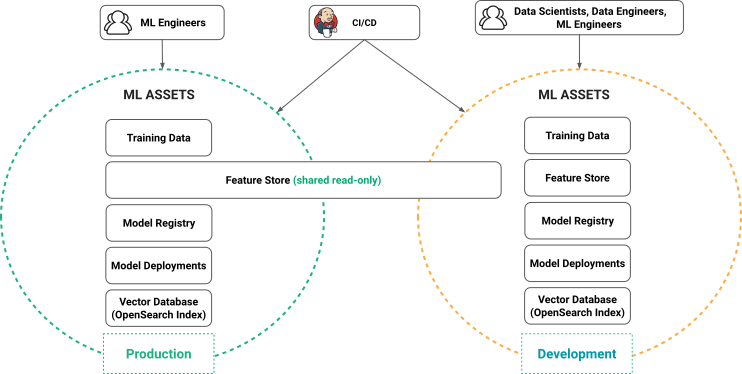
Every project in Hopsworks has its own private assets:
- a Feature Store (including both Online and Offline Stores)
- a Filesystem subtree (all directory and files under /Projects/
/) - a private home directory for each member, in the
Usersdataset - a Model Registry
- Model Deployments
- Kafka topics
- OpenSearch indexes (including KNN indexes - the vector DB)
- a Hive Database
Access control to these assets is controlled using project membership ACLs (access-control lists). What a member can do with these assets depends on their role. For the files in the project's datasets, it also depends on each dataset's permission. Users who have a Data Owner role can write to every dataset that is not read-only. Users who have a Data Scientist role can write to the datasets that are editable by all, which include Resources, Jupyter, Logs and Models. They can read the feature store and the datasets that are editable by owners. A member's home directory is open to that member only, whatever the role of the others. Project and User Isolation explains the dataset permissions and the home directories in detail.
However, it is often desirable to share assets between projects, with read-only, read/write privileges, and to restrict the privileges to specific role (e.g., Data Owners) in the target project. In Hopsworks, you can explicitly share assets between projects without copying the assets. Sharing is managed by ACLs in Hopsworks, see example below: