Repository actions#
Introduction#
This section explains the git operations or commands you can perform on hopsworks git repositories. These commands include commit, pull, push, create branches and many more.
Repository permissions
Git repositories are private. Only the owner of the repository can perform git actions on the repository such as commit, push, pull e.t.c.
UI#
The operations to perform on the cloned repository can be found in the dropdown as shown below.
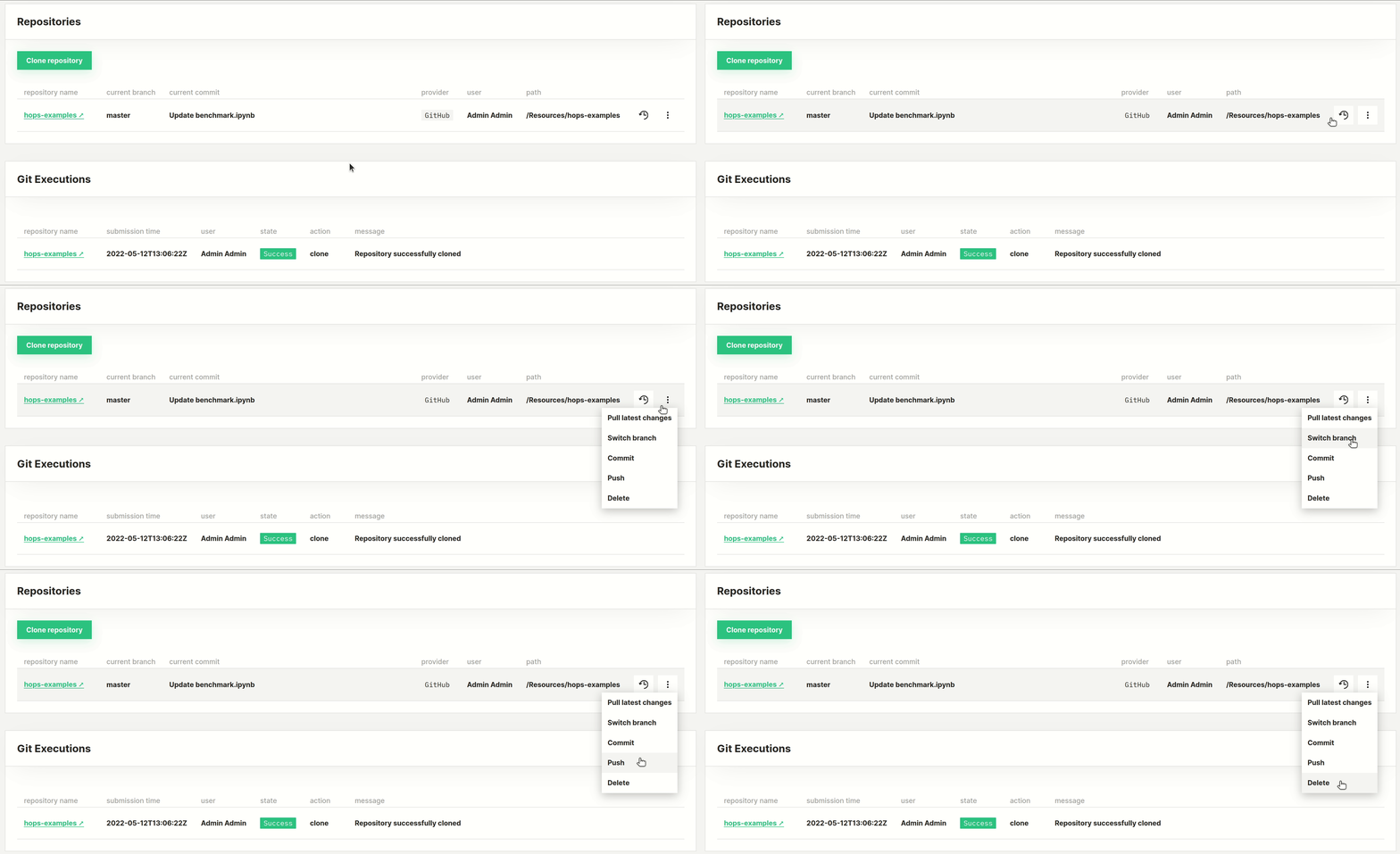
Note that some repository actions will require the username and token to be configured first depending on the provider. For example to be able to perform a push action in any repository, you must configure the provider for the repository first. To be able to perform a pull action for the for a GitLab repository, you must configure the GitLab provider first. When the provider is not configured, the actions that need it are greyed out in the actions menu, Commit and Push among them. The Git page also shows an info banner stating that public repositories can be cloned without authentication and pointing you to configure a GitHub, GitLab or BitBucket provider. Configure the provider as described in Git Provider to enable those actions.
Read only repositories#
In read only repositories, the following actions are disabled: commit, push and file checkout. The read only property can be enabled or disabled in the Cluster settings > Configuration, by updating the enable_read_only_git_repositories variable to true or false. Note that you need administrator privileges to update this property.
Code#
You can also perform the repository actions using the hopsworks git API in python.