How To Create A Secret#
Introduction#
A Secret is a key-value pair used to store encrypted information accessible only to the owner of the secret. Also if you wish to, you can share the same secret API key with all the members of a Project.
UI#
Step 1: Navigate to Secrets#
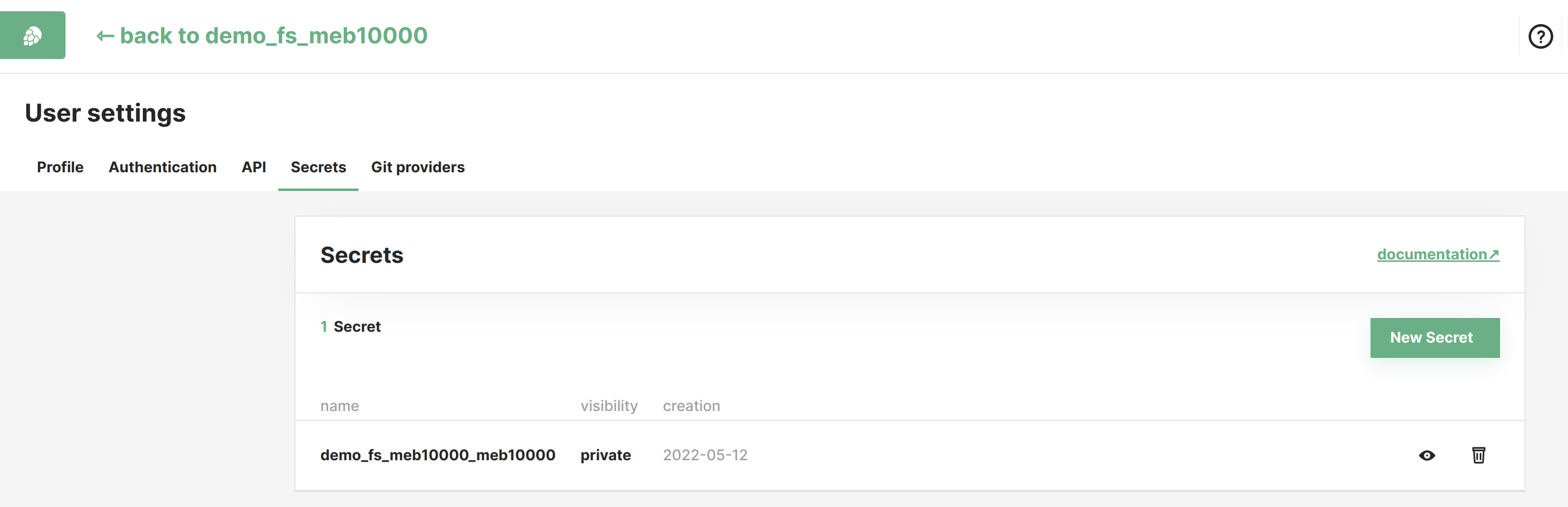
In the Account Settings page you can find the Secrets section showing a list of all secrets.
Step 2: Create a Secret#
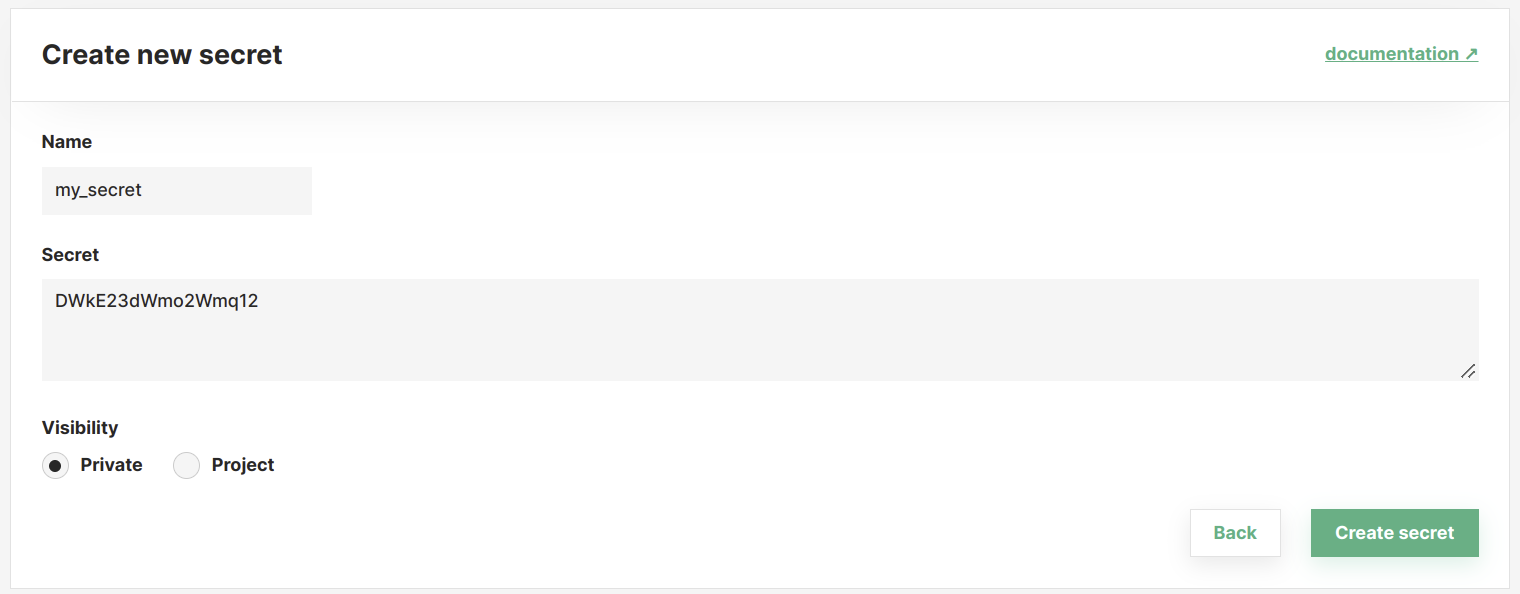
Click New Secret to bring up the dialog for secret creation. Enter a name for the secret to be used for lookup, then provide the secret value in one of two ways:
Text: paste or type the value directly. This is the default mode for short tokens, passwords, and API keys.File: upload a file from your machine. The contents are base64-encoded in the browser and stored as the secret value. Useful for small key files such as SSH keys, service account JSON, or short PEM-encoded certificates. A secret value cannot exceed 9000 characters (about 6.6 KB of raw file content).
If the secret should be private to this user, select Private. To share the secret with all members of a project, select Project and enter the project name.
Step 3: Secret created#
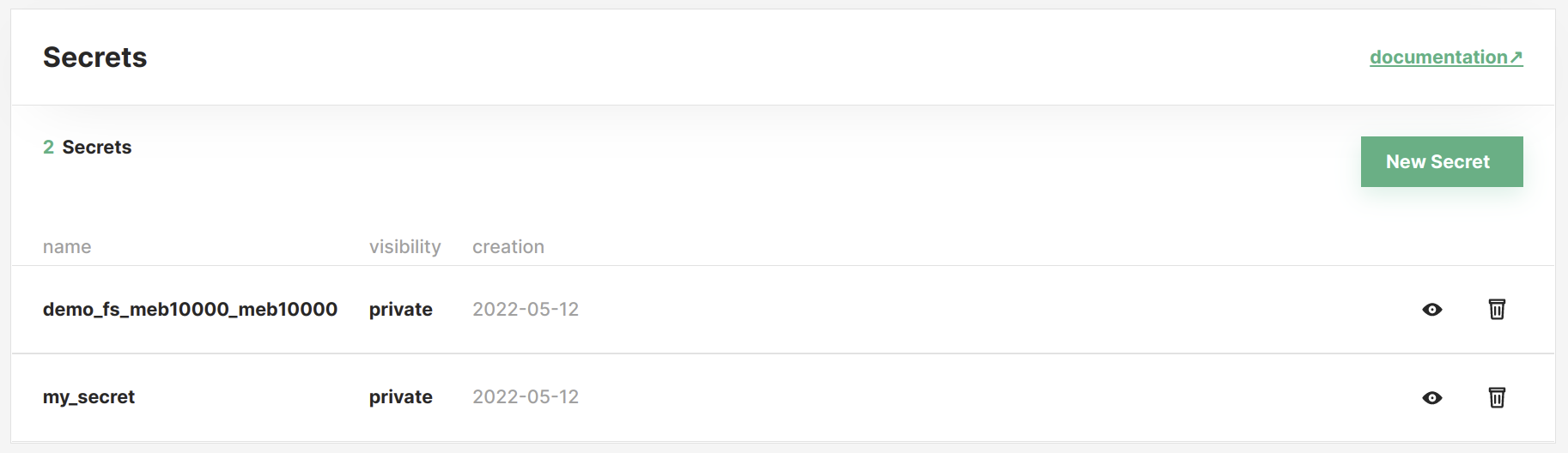
After saving, the new secret appears in the list with its name, visibility, and creation date. Use the Read action to reveal the stored value at any time.
Code#
Step 1: Get secrets API#
Step 2: Create secret#
Create a secret from a string value:
Create a secret from the contents of a local file:
import base64

secrets_api.create_secret_from_file("my_ssh_key", "~/.ssh/id_ed25519")

raw_bytes = base64.b64decode(secrets_api.get("my_ssh_key"))
Reads return the base64 string, so the caller is responsible for decoding it back to bytes.