Mountable Secrets#
Some connectors authenticate with a file rather than with a password. An Oracle Autonomous Database over tcps needs a wallet directory, Elasticsearch, MongoDB and Cassandra can need a keystore, and BigQuery and GCS need a key file. A catalog property cannot name a path on the query engine's machines, so a project needs a way to put its own files where the connector will look for them.
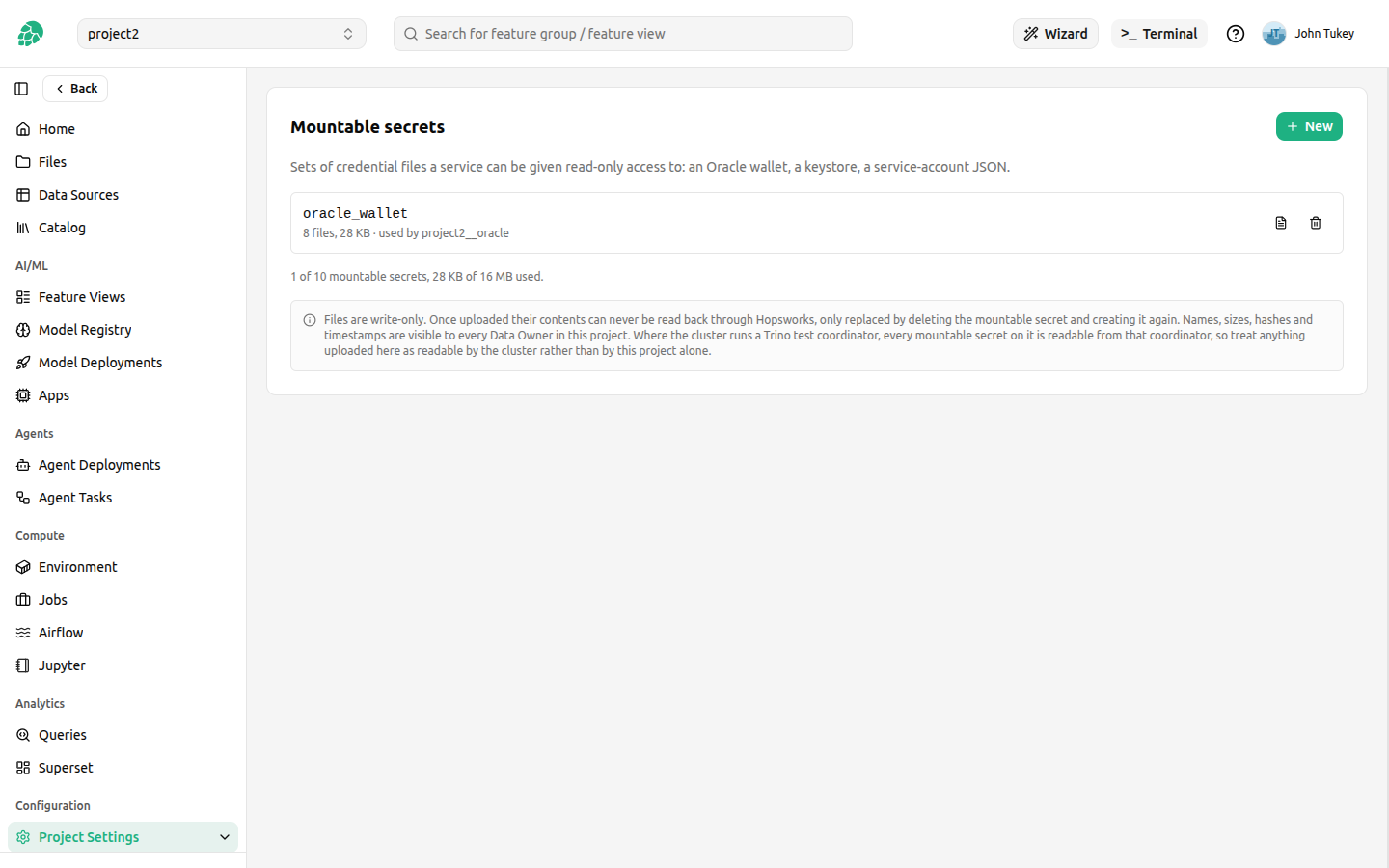
A mountable secret is a named bundle of files that belongs to your project. You upload the files once, then refer to the bundle by name from a catalog property, and Hopsworks substitutes the real location when the catalog is written for Trino. The files are stored where project members cannot read or write them directly, and a catalog can only ever reach its own project's bundles.
Only a project Data Owner can list, create or delete a project's mountable secrets. Through the API the same endpoints need an API key with the MOUNTABLE_SECRET scope. Private catalogs use mountable secrets that belong to your account instead, described in Mountable secrets for private catalogs.
Creating a bundle#
Open Project Settings, then Mountable Secrets, and click New. Give the bundle a name and add its files, either by selecting the files individually or by uploading a single zip archive, which is the form a downloaded wallet usually arrives in.
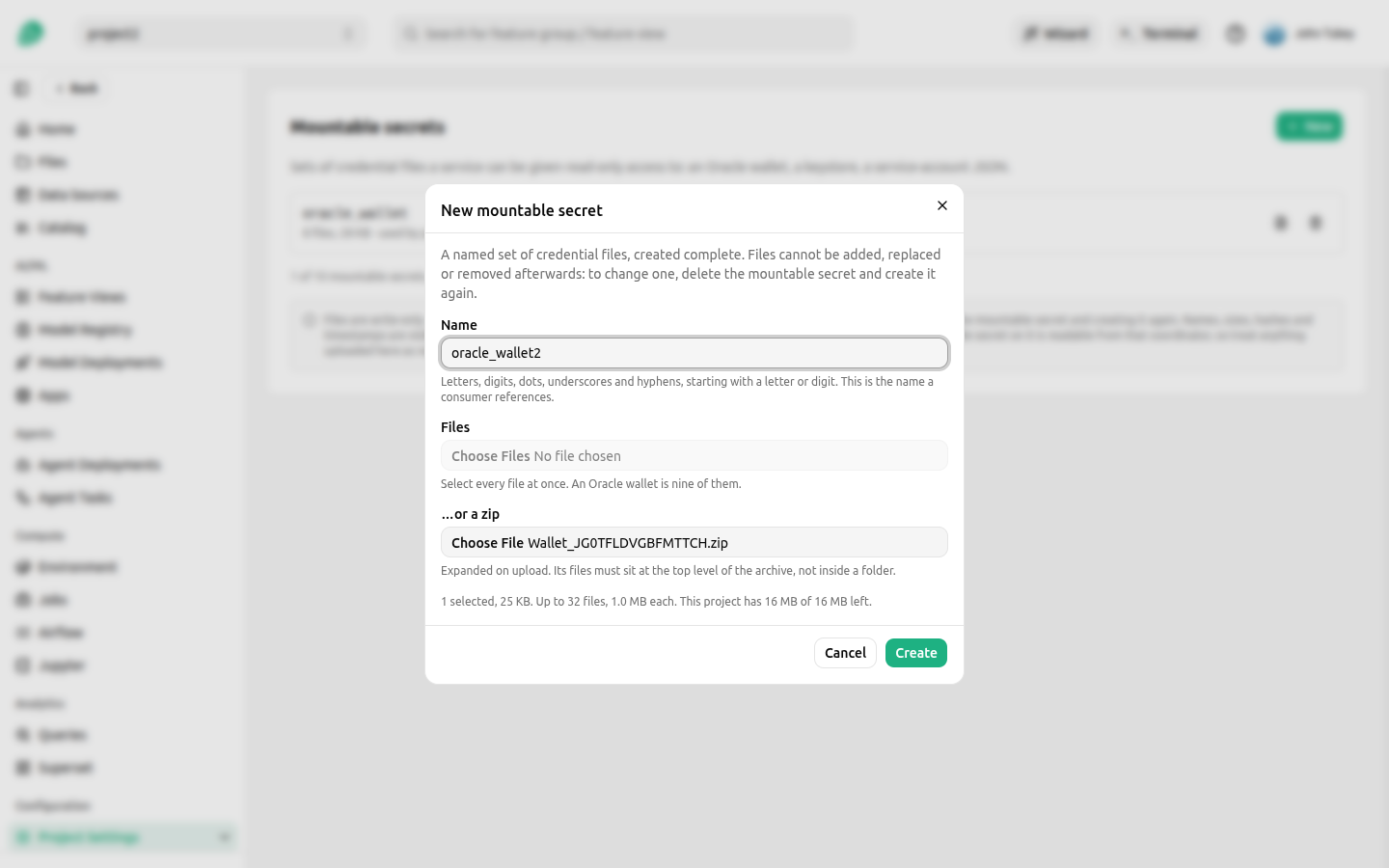
The whole bundle is created in one step. There is no way to add a file to a bundle afterwards, or to replace one, which is what makes a bundle safe to reference: it is either complete or absent, and it cannot change under a catalog that is using it.
A name starts with a letter or a digit and continues with letters, digits, dots, underscores or hyphens, up to 63 characters. Names that could not be written into a catalog property are rejected, so a leading dot, a space or .. will not be accepted.
A zip must hold its files flat. An archive whose entries sit inside a directory is rejected, because the bundle is the directory, and a wallet nested one level down would not be found by a driver pointed at it. Empty files are rejected too, as is the same filename twice in one request.
These limits apply per project. All of them are cluster settings an administrator can raise.
| Limit | Default |
|---|---|
| Bundles per project | 10 |
| Files per bundle | 32 |
| Bytes per file | 1 MiB |
| Bytes per project | 16 MiB |
| Bytes per upload request | 32 MiB |
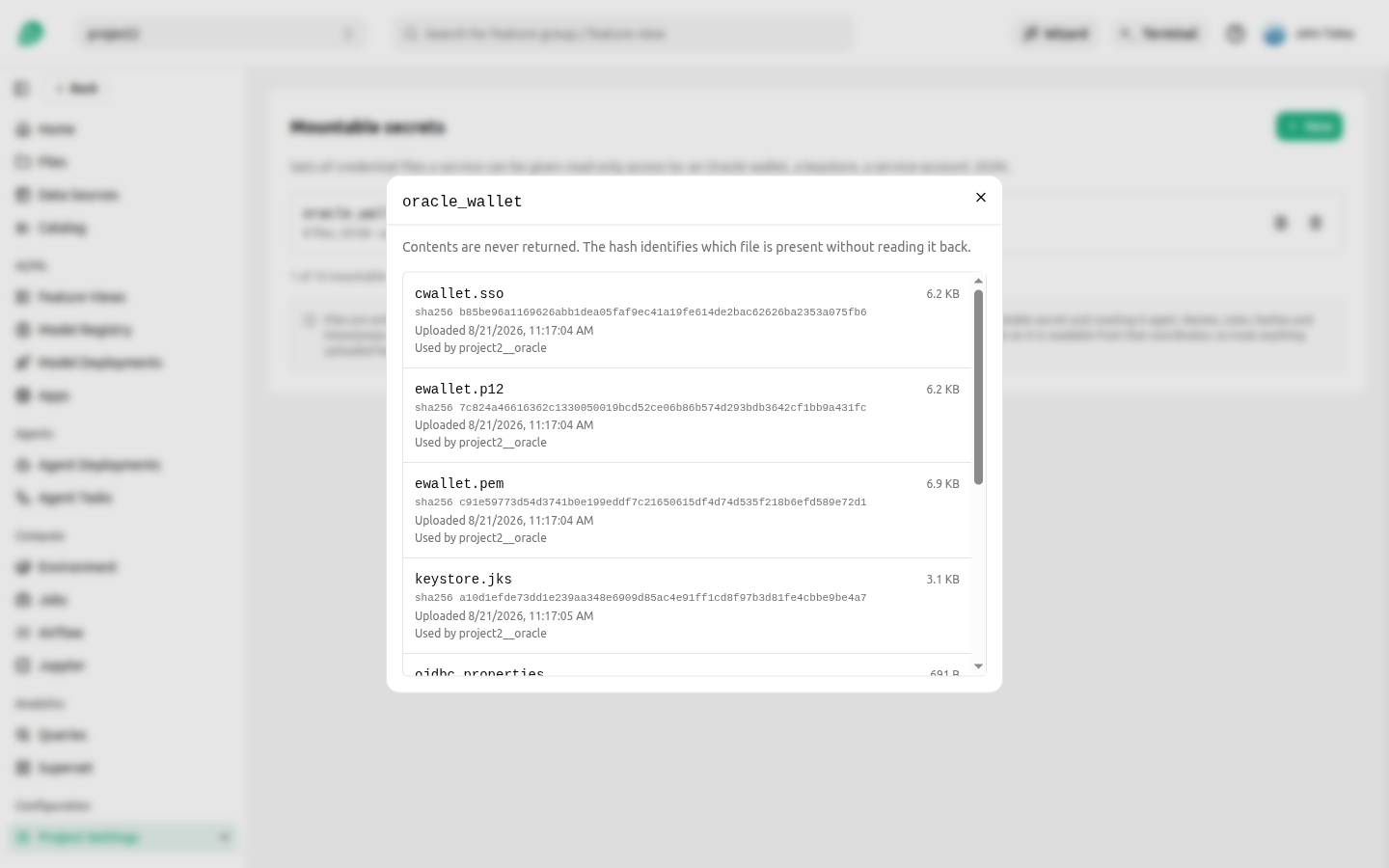
The listing shows what a bundle holds, with a SHA-256 for every file, when it was uploaded, and which catalogs use it. File contents are never returned: once uploaded, a file can be referenced and deleted, but not read back. The hash is there so you can tell which file is present without reading it.
Treat a bundle as readable by the cluster, not by your project alone
Names, sizes, hashes and timestamps are visible to every Data Owner in the project. More importantly, where the cluster runs a Trino test coordinator, every mountable secret on it is readable from that coordinator, because the store is mounted whole and the test coordinator connection-tests catalogs before they go live. Prefer a credential scoped to the data the project needs over an administrative one.
Referencing a bundle from a catalog#
Two forms are available, and which one a connector wants depends on whether it reads a directory or a single named file.
${HOPSWORKS_MOUNT:my_bundle}                # the bundle directory
${HOPSWORKS_MOUNT:my_bundle/keystore.jks}   # one file inside it
Type ${ in the catalog properties editor to pick a bundle, or a file inside one, from a list.
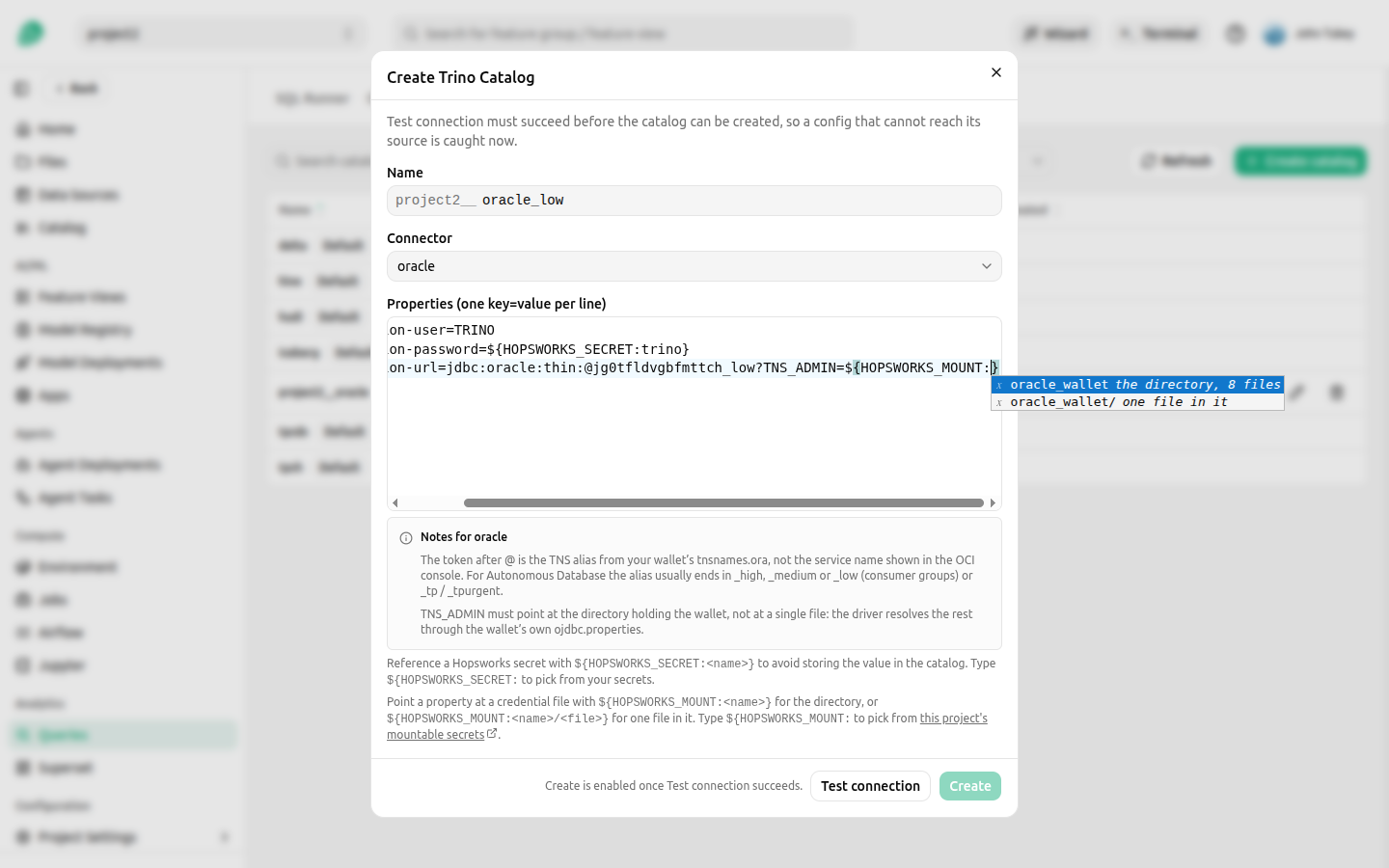
${HOPSWORKS_MOUNT: offers the bundle directory and the files in itA reference stands on its own and cannot be extended with a path. Writing ${HOPSWORKS_MOUNT:my_bundle}/keystore.jks is rejected, because the file form above already expresses it, and allowing a path after a reference would let a property address something outside the bundle. For the same reason a reference cannot contain ...
References are checked when you create or edit the catalog, and again when you test the connection. A bundle or a file that does not exist is reported at that point rather than at the next restart.
Changing or removing a bundle#
To change a wallet, delete the bundle and create it again under the same name. The listing names the catalogs that reference a bundle, so check there before removing one.
A deletion takes effect immediately and is never refused for being in use, and it does not wait for a restart to bite. The query engine sees the store through a live mount, and a connector that reads its files when it opens a connection, Oracle among them, will fail on its next connection or query. Recreating the bundle under the same name with the same filenames restores it, and no catalog has to be edited, because a catalog refers to the bundle by name. Queries can fail in the gap between the two.
Where an interruption is unacceptable, do not replace a bundle in place. Create the new one under a new name, edit the catalog to reference it, and delete the old bundle once the query engine has restarted and the catalog is working.
Worked example: an Oracle Autonomous Database#
Download the wallet from the OCI console, upload the zip as a bundle called oracle_wallet, then create an oracle catalog whose connection URL points TNS_ADMIN at the bundle directory.
connection-url=jdbc:oracle:thin:@dbname_low?TNS_ADMIN=${HOPSWORKS_MOUNT:oracle_wallet}
connection-user=TRINO
connection-password=${HOPSWORKS_SECRET:oracle_password}
Three things about this URL cause most of the failures.
The name before ? is a TNS alias, not a service name. It has to be one of the aliases in the wallet's own tnsnames.ora, such as dbname_low or dbname_high, and not the service name shown in the OCI console. A name that is not in the file produces Could not find alias <name> in tnsnames.ora, which is a wallet-contents problem rather than a connectivity one.
The database's access control list has to admit the cluster. ORA-12506 has two causes that look identical from the outside: the connection came from an address the Autonomous Database does not accept, or the client never loaded the wallet at all. Add the outbound addresses of every query engine pod, coordinator and workers, since a query runs on the workers. The Catalogs tab reports those addresses when an administrator has enabled the check.
A downloaded wallet retries by default. Each alias in tnsnames.ora carries (retry_count=20)(retry_delay=3) inside its connect descriptor, so a refused connection waits about a minute before any error appears and a rejected address looks like a hang. The driver accepts a connect descriptor in place of an alias, so to get the real error at once, paste the descriptor from the alias you were using into connection-url and set retry_count=0 there. The wallet still authenticates, through TNS_ADMIN.
connection-url=jdbc:oracle:thin:@(description=(retry_count=0)(address=(protocol=tcps)(port=1522)(host=<adb-host>))(connect_data=(service_name=<service-name>))(security=(ssl_server_dn_match=yes)))?TNS_ADMIN=${HOPSWORKS_MOUNT:oracle_wallet}
connection-user=<user>
connection-password=${HOPSWORKS_SECRET:oracle_password}
Take the host, port and service_name from the alias's entry in the wallet's tnsnames.ora, and drop retry_delay, which means nothing once retry_count is zero. A catalog can keep this form, and doing so records which consumer group it connects to instead of leaving it to an alias name.
Mountable secrets for private catalogs#
A private catalog follows its owner into every project they are a member of, so it cannot reference a project's bundles: it would carry them into the owner's other projects. It references bundles that belong to your account instead.
Open Account Settings, then Secrets, and use the Mountable secrets section below your secrets. Creating, listing and deleting work as for a project's bundles, and the same limits apply, counted per account rather than per project.
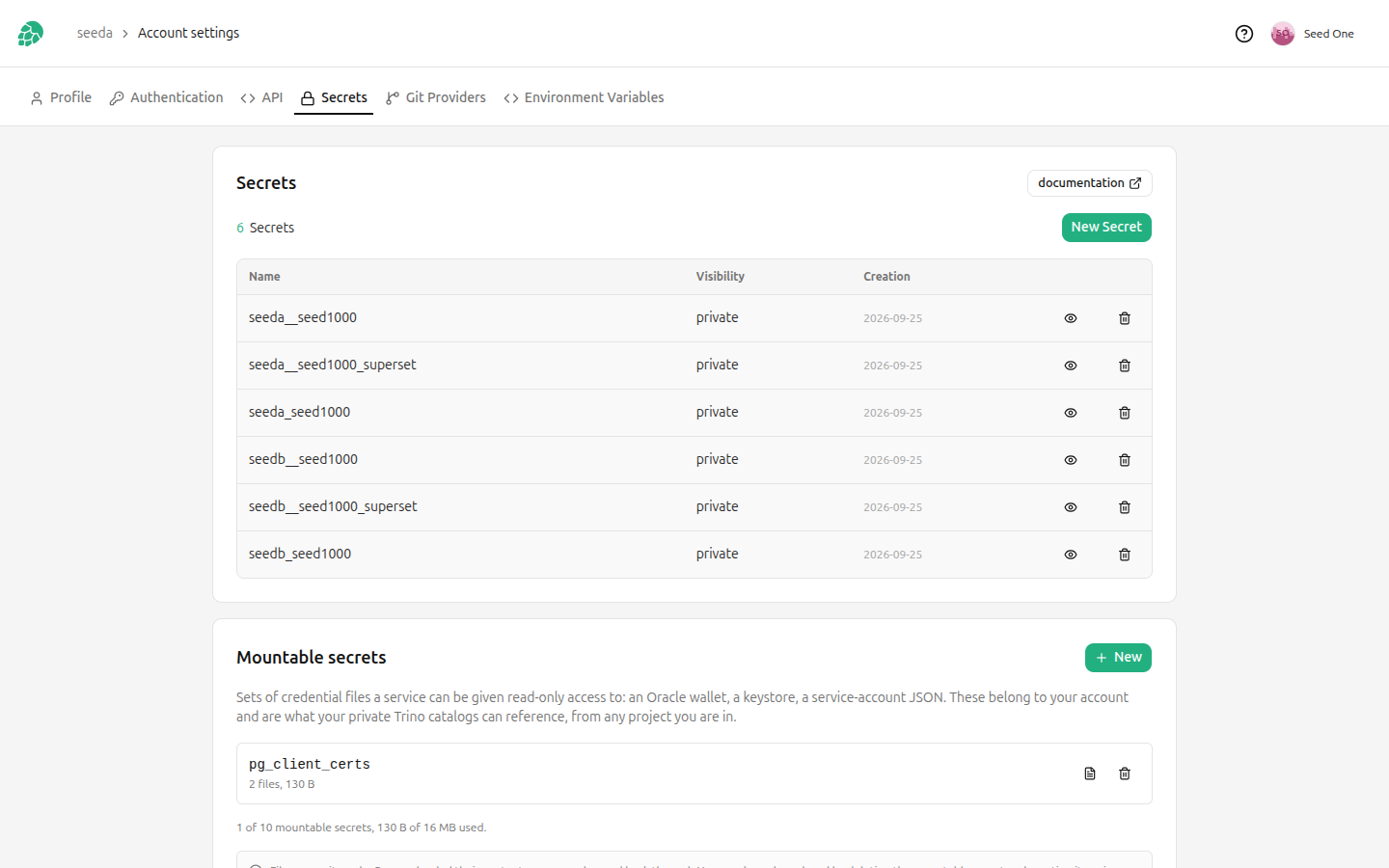
A private catalog references your bundles with the same ${HOPSWORKS_MOUNT:<bundle>} forms, and a project catalog cannot reference them. Names, sizes, hashes and timestamps of your bundles are visible to you alone. The same caution applies as for a project's bundles: where the cluster runs a Trino test coordinator, every mountable secret on it is readable from that coordinator.
Through the API, your account's bundles are at /users/mountable-secrets, with the same operations as a project's and an API key with the MOUNTABLE_SECRET scope.
When your account is deleted, your bundles are deleted with it.
When the feature is unavailable#
An administrator can turn the store off for a whole cluster. While it is off, the Mountable Secrets page reports that it is not available, and creating or editing a catalog that references a bundle is refused.
A catalog that already went live keeps its stored definition, and its reference still resolves to a location, but nothing populates that location any more. For a connector that reads its files when a connection is opened, such as Oracle, the query engine starts normally and queries fail.